MemeHub guide
How to Make a Meme
The best memes usually start with a simple observation, not a complicated editing trick. This guide walks through the decisions that make a meme easy to understand and fun to share.
By Fardeen · Updated 2026-08-23
1. Start with one clear idea
Before choosing an image, write down the situation or contrast you want people to recognize. A meme becomes harder to understand when it tries to make several jokes at once.
A useful premise can be written as a sentence such as “when the deadline moves forward but the requirements keep changing” or “me trying to act calm after sending the wrong file.” The sentence does not have to be funny yet; it only needs to identify the shared experience and the point of view you want to exaggerate.
- What happened?
- Who would relate to it?
- What is the unexpected or exaggerated part?
2. Choose a format that supports the joke
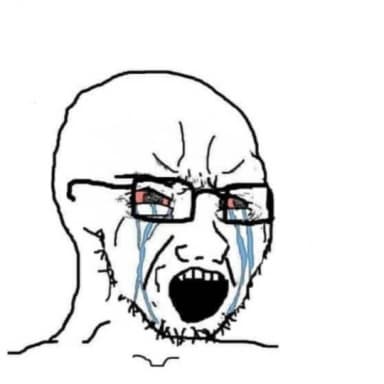
Use a reaction format when the emotion is the punchline, a comparison format when two choices matter, and a multi-panel format when the joke needs a short sequence. Browse the template library by topic if you do not have a specific image in mind.
A useful test is to describe the joke without naming the image. If the situation is clear but the emotion is missing, choose a reaction format. If the contrast is clear but the sequence is missing, choose a panel layout that gives the audience the order of events.
Do not force a familiar template to carry a joke it does not support. A dramatic reaction can make a quiet observation feel exaggerated, while a two-choice image can make a comparison easier to scan. When the first template you try makes you add explanatory text, go back to the library and test a format with a clearer visual relationship.
3. Write short, readable text
Put the setup where people naturally look first and keep the punchline compact. High contrast, familiar words, and enough empty space matter more than adding extra explanation.
Draft the caption outside the editor first, then make a shorter version after seeing the image. Read it at the size where most people will encounter it on a phone. If the joke only works when the text is tiny, change the wording or choose an image with more open caption space.
- Read the caption out loud.
- Remove every word that does not improve the joke.
- Check the smallest-screen version before exporting.
4. Review before sharing
Check spelling, image quality, and whether the joke still makes sense without your private context. If the image belongs to someone else, make sure your use and attribution respect the source and platform rules.
Pause before exporting and look at the smallest version you expect people to see. A caption that is readable on a large desktop preview can become cramped on a phone, especially when the template already contains small details or baked-in text.
Finally, ask whether the image could be misunderstood outside the original conversation. Remove private names, addresses, screenshots, or identifying details that do not serve the joke. A shareable meme should be clear enough for the intended audience without exposing more information than you meant to publish.