Meme template
Are You Two Friends? Meme Template
Make a Are You Two Friends? meme with MemeHub's free generator. This meme format represents a situation where two entities (or people) are clearly not on…
- Caption areas
- 3
- Image format
- 600 × 809
Free to try in your browser. Add text, adjust the layout, and download your meme.
Template images may be supplied through third-party sources. Check permission, attribution, and destination-platform rules before publishing. Report a rights or removal concern.
Related meme collections
How to use this meme template
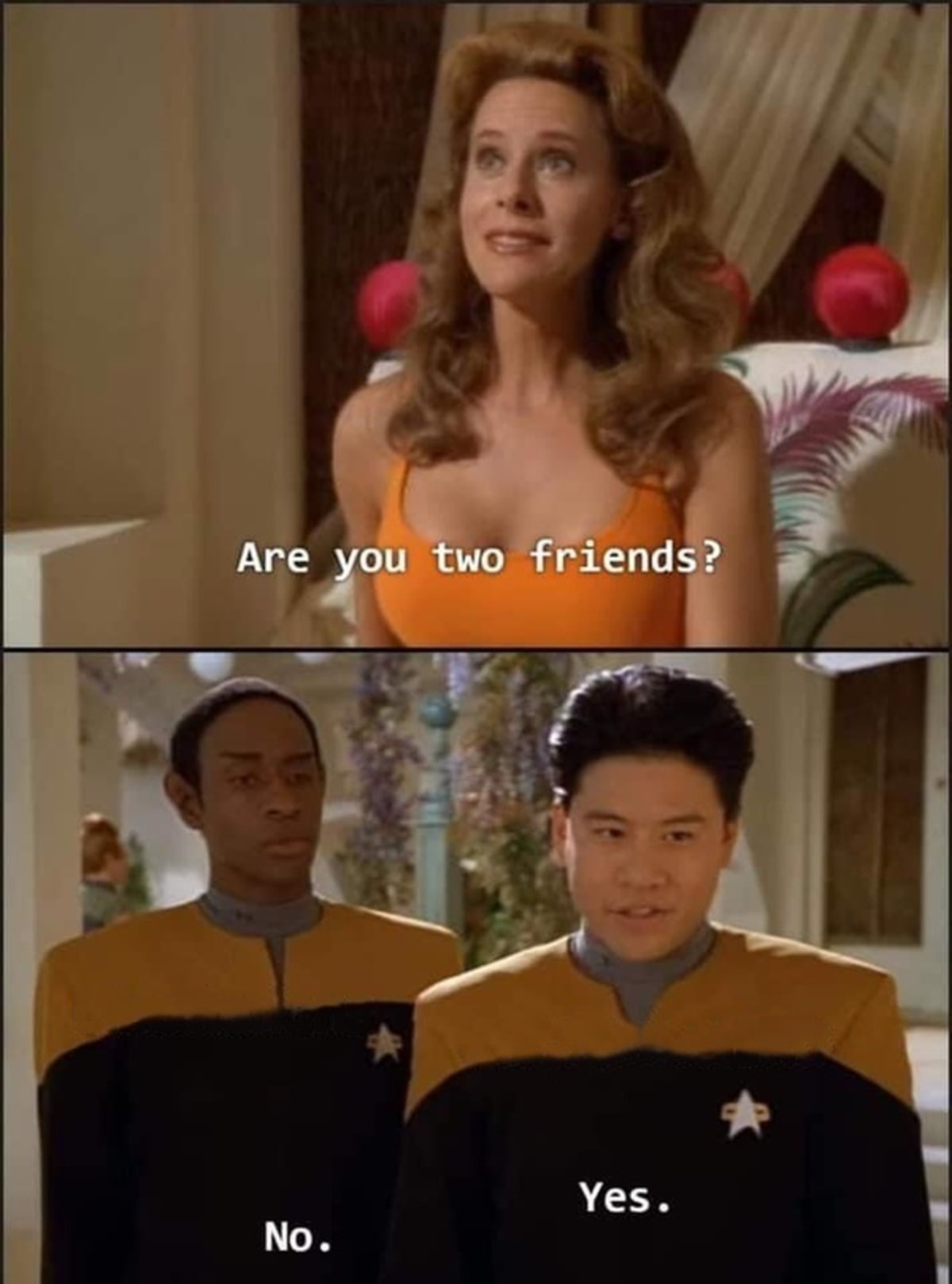
Are You Two Friends? uses this visual format: The top panel shows a woman asking, 'Are you two friends?'. The bottom panel shows two men in uniform, one saying 'No.' and the other saying 'Yes.'
This meme format represents a situation where two entities (or people) are clearly not on the same page or have a conflicting relationship, despite external appearances or simple questions. Use it when a disagreement joke needs a recognizable visual setup before the caption lands.
Caption structure: The top panel poses a question about a relationship or state. The bottom panels provide conflicting answers, typically 'No.' and 'Yes.', highlighting disagreement or differing perspectives.
Good use cases include launch vs. adoption rates, product marketing vs. engineering, co-founders with different visions, early stage vs. late stage investors, AI capabilities vs. user expectations, developer tools vs. end-user experience.
- Start with a specific situation that fits the disagreement context.
- Keep the caption readable at phone size and leave the defining visual detail visible.
Good use cases
- launch vs. adoption rates
- product marketing vs. engineering
- co-founders with different visions
- early stage vs. late stage investors
- AI capabilities vs. user expectations
- developer tools vs. end-user experience
1. Open the template
Click “Use this template” to open it in MemeHub's online editor.
2. Write your joke
Replace the suggested text with your own setup, punchline, or reaction.
3. Download your meme
Export the finished image and share it with your audience.
More meme templates
Browse all



More meme-making guidance
Learn how to choose a format, structure the caption, and compare the visual grammar of different meme templates before you export.